

Proxmox Mail Gateway 9.1 arrived on 11 June 2026 with a focused set of improvements addressing two real operational needs: a smarter quarantine interface for teams managing shared mailboxes, and native encrypted backup support for Proxmox Backup Server. Here’s what changed and what it means for your deployment.
- PMG 9.1 ships on Debian 13.5 “Trixie” with Linux kernel 7.0, SpamAssassin 4.0.2, ClamAV 1.4.4, and PostgreSQL 17.
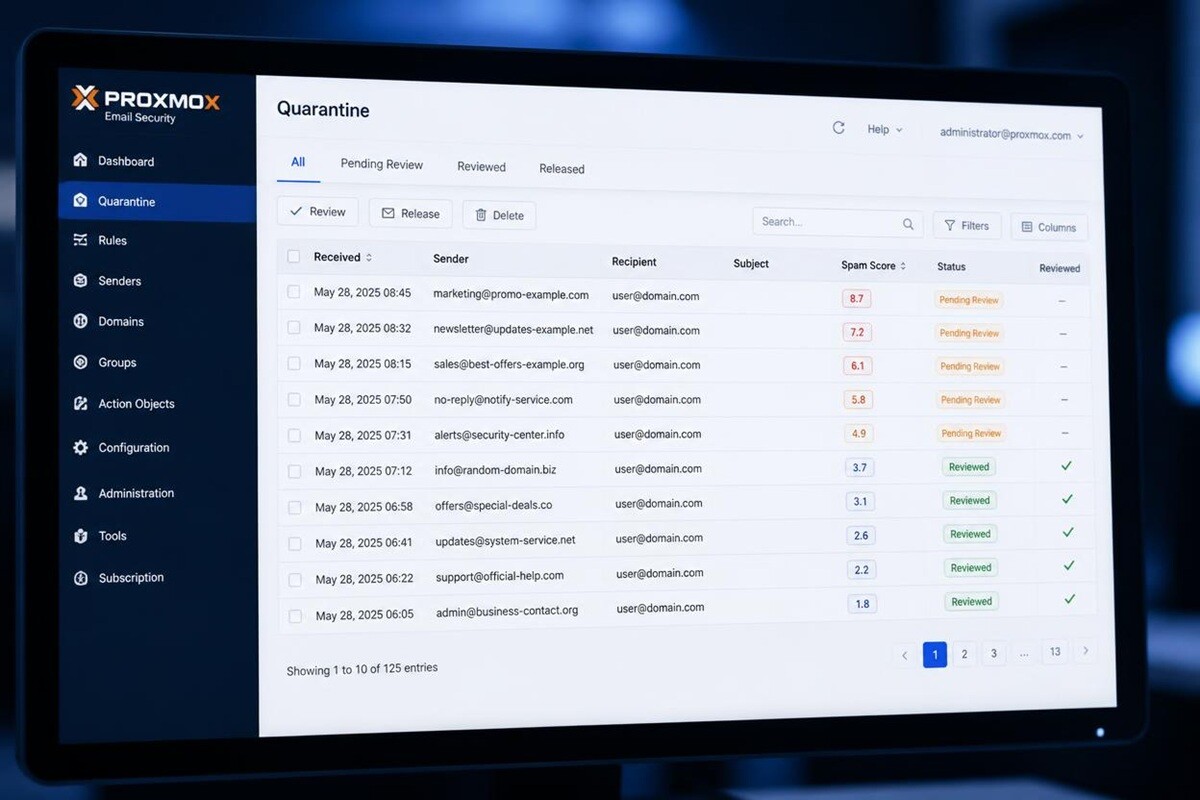
- Shared mailbox quarantine is cleaner: messages can be marked as seen, preventing duplicate review across a team.
- Spam scores now show their positive and negative components at once, making filtering decisions transparent.
- Backups to a Proxmox Backup Server can now be encrypted client-side — configuration, rules, and statistics leave the host already encrypted.
- New admin options: a configurable pre-login consent banner and optional audit logging of mail envelope headers (off by default).
PMG sits in front of your mail server: every message is scored, scanned, and either delivered or held — before it reaches a user.
A full stack refresh under the hood
PMG 9.1 rebases onto the current Debian and kernel, matching the stack shipped in Proxmox VE 9.2 three weeks earlier.
| Component | PMG 9.1 |
|---|---|
| Base OS | Debian 13.5 “Trixie” |
| Linux kernel | 7.0 |
| SpamAssassin | 4.0.2 (live rulesets) |
| ClamAV | 1.4.4 |
| PostgreSQL | 17 |
| ZFS | 2.4 |
The Linux 7.0 kernel and Debian 13.5 base bring improved support for current-generation hardware. The SpamAssassin bump to 4.0.2 isn’t the story on its own — the continuously updated rulesets running on top of it are what actually catch the mail.
Four fixes for the people running quarantine
The headline UX work in 9.1 targets the day-to-day reality of managing a quarantine queue — usually sysadmins or helpdesk staff fielding user requests.
Mark as seen in shared mailboxes
Where several people share a quarantine mailbox — support, accounts, enquiries — there was no way to flag a message as already reviewed. 9.1 lets you mark messages as seen, with a checkmark visible to everyone on that mailbox. The duplicate-review problem is gone.
Granular spam score display
SpamAssassin scores mail by adding positive (spammy) and subtracting negative (legitimate) signals. The quarantine view now shows both components at once, not just the net score — so when a real email is held or spam slips through, the full breakdown is right there instead of buried in logs.
On-demand external images
Quarantined HTML emails used to load external images automatically, confirming the open to the sender and firing tracking pixels. 9.1 blocks external images by default and loads them only when a reviewer chooses to — the behaviour security-conscious admins have wanted.
Copy quarantine login link
When a user can’t reach their quarantine — wrong link, expired session — you previously talked them through it. 9.1 adds a copy login link action, so you generate and share a private access link straight from the dashboard. A frequent friction point, solved.
Client-side backup encryption for PBS
Backups sent to a Proxmox Backup Server are now encrypted client-side in PMG 9.1. Configuration data, user-created rules, and historical statistics leave the PMG host already encrypted — PBS never holds the plaintext.
Encryption happens on the PMG host before transmission, so the backup destination receives only ciphertext. What’s covered: email configuration, the user-created rule system, and historical and private statistics.
The implementation includes an optional master key for recovery. If the primary key is lost, the master key is the fallback — configure it at setup. It’s what stops encrypted backups becoming a liability when a key-management mistake coincides with a restore.
Per-snapshot encryption and verification state is visible in the PBS interface, so you can confirm both that backup runs and that encryption is applied without inspecting snapshots by hand. For deployments running PMG on Proxmox VE with PBS in the same stack, it closes an obvious gap: PMG’s sensitive data is now protected end-to-end, not just in transit.

Two smaller admin additions
Consent banner
Administrators can now configure a consent banner on the PMG login screen — a pre-authentication acknowledgement of acceptable-use or legal terms. It’s a compliance requirement in some regulated environments and wasn’t natively supported before.
Audit logging for mail headers
PMG 9.1 adds optional logging of mail envelope data and decoded headers — From, To, and Subject — for audit purposes. It is disabled by default.
Header audit logging is off by default for good reason: logging From, To, and Subject touches personal data. Before enabling it, weigh your obligations under the Privacy Act 1988 and your data-handling policy. Turn it on only where there’s a documented business or regulatory reason, and keep the log data access-controlled.
“The shared mailbox quarantine problem is one of those things that sounds trivial until you’re running a support desk where four people are checking the same queue and nobody knows what’s already been reviewed. It generates more ‘did you check this one?’ conversations than you’d expect. Mark-as-seen is a small change that will save real time in any team environment.”— Brad Dixon, PIP
Upgrading to 9.1
PMG 9.1 is available now. The path depends on your current version:
- From PMG 9.0: standard package upgrade via
apt full-upgrade. Production-ready — the one pre-release issue found in testing was resolved before shipping. - From PMG 8.2: follow Proxmox’s dedicated major-version upgrade documentation first. Do not run a direct
apt full-upgradefrom 8.x to 9.1 — the path requires specific preparation. - LXC container template: available after QA review — check the Proxmox downloads page for current availability.
- Fresh install: available as an ISO for bare metal, or deployable on an existing Debian 13 system.
Test in a non-production environment first. PMG handles live mail flow — an unexpected issue during upgrade has real-time consequences for inbound and outbound delivery. If you’d rather not do it cold, PIP’s Proxmox Support team can plan and run the upgrade with you.
Common questions
What is Proxmox Mail Gateway?
Can I upgrade in place, or do I need a new install?
apt full-upgrade). From PMG 8.2 a dedicated upgrade path applies — follow Proxmox’s published documentation. Don’t attempt a direct APT upgrade from 8.x to 9.1 without completing the preparation steps.Is the backup encryption enabled by default?
PIP manages and supports Proxmox across Sydney
Whether you’re planning a PMG 9.1 upgrade, standing up a new mail gateway, or reviewing your current Proxmox stack, PIP’s team is available — we’ve been running Linux environments since before Proxmox existed, and have been a Proxmox partner since 2025.
Explore PIP’s Proxmox Services → Get in touch →