
Remote IT Support for Australian Businesses
A technician connects securely to your device, resolves the issue, and closes the session. No travel time, no waiting for a site visit — most business IT issues are fixed this way, faster.
Managed clients access remote IT support services around the clock — same team, same system knowledge, regardless of the hour.
Most business IT issues do not need a technician in the room. They need a technician who can see the problem.
Remote IT support is how that happens. A technician connects securely to your device or system using encrypted remote access tools — with your explicit approval — and resolves the issue directly: software faults, configuration problems, cloud and email issues, password resets, patch deployment, security response. The session is logged and auditable. When it ends, access ends.
For the majority of day-to-day IT issues, this is the fastest resolution path. No travel time. No waiting for a visit to be scheduled. No disruption to the office beyond the few minutes it takes to fix the problem. When a fault genuinely requires physical attendance — hardware failure, cabling, device rollout — PIP attends on site. The same team, the same knowledge of your environment, no handoff.
How Remote IT Support Works
Four steps, from first contact to closed ticket. The session cannot open without your approval — and it cannot stay open once the job is done.
You contact the support team
Phone, email, or support portal — however your team prefers to log a request. PIP’s 24/7 helpdesk picks up for managed clients at any hour. The ticket is opened and a technician is assigned.
Triage and session request
The technician reviews the issue and sends a secure remote session request. They already have your environment documentation — systems, software, known history. No re-briefing required.
You approve the connection
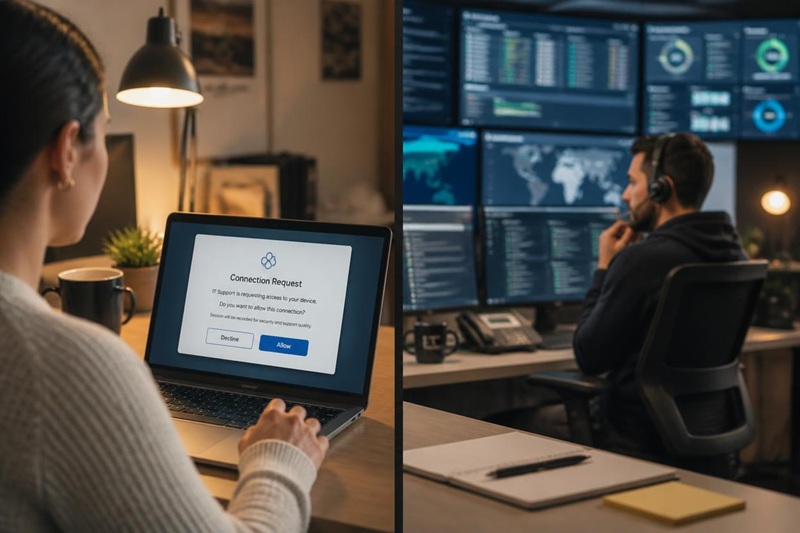
A prompt appears on your screen. You approve it. The session opens — encrypted, time-limited, and visible to you throughout. You can end it at any point. The connection cannot be established without your explicit approval.
Issue resolved, session logged
The technician diagnoses and fixes the issue. The session closes, the ticket is updated, and a full session log is retained. If the issue cannot be resolved remotely, on-site attendance is the next step — same team, no handoff.
Remote IT Support Services We Provide
Most business IT issues are resolved without a site visit. The following categories cover the majority of what PIP handles remotely for managed clients and businesses on ad hoc support agreements.
Troubleshooting & Issue Resolution
Software crashes, application errors, slow performance, configuration faults, connectivity issues — the broad majority of day-to-day IT problems are diagnosed and fixed remotely without a visit.
Remote Desktop Support
Direct access to a user’s desktop or server to fix issues in context — seeing exactly what the user sees and working on it directly, rather than relying on a description over the phone.
Software Updates & Patch Management
Operating system updates, application patches, and security software updates deployed and verified remotely — on a defined schedule for managed clients, or on request for ad hoc clients.
Email & Cloud Support
Microsoft 365 configuration, email delivery issues, account access, shared calendar and mailbox setup, Teams and SharePoint troubleshooting — resolved remotely without requiring physical access to any device.
Password Resets & Account Lockouts
The most frequent single-category support request. Resolved in minutes remotely — no site visit, no delay, no staff waiting to start their day while IT catches up.
Proactive Monitoring & Alerting
Continuous remote monitoring of managed client environments — hardware health, software status, backup job completion, security events. Issues resolved remotely before users are affected.
Security Monitoring & Response
Security alert triage, suspicious process termination, account isolation, and initial incident containment — all achievable remotely and typically faster than waiting for on-site attendance.
Backup Checks & Verification
Remote inspection of backup job status, alert resolution for failed backup jobs, and restore testing for managed clients — without requiring access to the physical device or server room.
When Remote IT Support Is Not Enough
Remote support resolves the majority of business IT issues — but it has genuine limits. Hardware that cannot power on, network faults that prevent the device reaching the internet, cabling that needs to be run, new equipment that needs to be racked and configured — none of these can be fixed remotely. Attempting to avoid on-site attendance when it is genuinely needed costs more time than just sending someone.
PIP provides on-site IT support across all of Greater Sydney and the Central Coast. When remote support reaches its limit, the same team attends — the same system knowledge, no handoff, no re-briefing.

Remote IT Support Security
The concern is reasonable — allowing a technician to access a device remotely is a significant trust decision. The answer depends entirely on how the remote access is implemented.
PIP’s remote IT support services use secure remote access tools that require explicit user consent before any session begins. The connection is encrypted end-to-end. Sessions are time-limited and terminate when the job is complete — access does not persist. Every session is logged with timestamps, the technician identity, and actions taken, and that log is available to clients on request.
PIP’s support team is Australian-based Sydney staff — not an offshore delivery centre or a third-party pool. The technician connecting to a device is the same team that manages that environment, not an unknown contractor. That is a meaningful difference in a category where “remote support” can mean anything from a 24-hour Australian team to an overseas call centre working from a script.
What makes a remote session safe.
User-approved. Every session requires explicit approval from someone at the device. The connection cannot be initiated unilaterally.
Encrypted end-to-end. Remote access sessions use encrypted connections — session data is not transmitted in plain text.
Not persistent. Access closes when the session ends. There is no background connection waiting to be re-opened.
Fully logged. Every session is recorded — who connected, when, for how long, and what changed. Auditable on request.
Sydney-based staff. Australian technicians, not an offshore pool. The same team that manages your environment.
Why PIP for Remote IT Support Services
Remote IT support is widely offered. The difference is what sits behind it — and what happens when remote support runs out.
We know your environment before we connect
PIP documents every managed client’s systems before remote support begins — every device, every application, every known issue. The technician connecting to your device already knows what they are looking at. No re-briefing, no discovery time billed to the client.
Australian-based — not offshore
PIP’s remote IT support services are delivered by Sydney-based staff. Not a global help desk routing through time zones. Not a third-party contractor. The team that answers is the team accountable for your environment.
Owned infrastructure — one provider accountable for delivery
PIP owns its national internet network, its hosting platforms, and its telephony infrastructure. When a remote support call uncovers a network or connectivity fault, PIP can reach all the way into the infrastructure layer directly — no separate ISP to escalate to, no vendor finger-pointing.
24/7 for managed clients
Remote IT support is available around the clock for PIP’s managed IT clients — not an emergency-only after-hours line, but the full service at any hour. The 24/7 helpdesk is staffed by the same team with the same system documentation. Issues at 7am on a Saturday are resolved the same way as issues at 10am on a Tuesday.
Remote support backed by on-site attendance
PIP provides IT support in Sydney as a unified service — remote and on-site from the same team. When a remote session reaches its limit, the next step is attendance, not a referral to a different provider. Greater Sydney and the Central Coast covered; national project travel available.
One provider for managed IT services
Remote support is a component of PIP’s broader managed IT services offering — not a standalone product. Under a managed services agreement, remote IT support services are included alongside proactive monitoring, patch management, backup verification, and strategic guidance. One provider, one monthly agreement, one team.
Remote IT Support Services — Sydney & Australia-Wide
Remote IT support is delivered nationally — to any device that can reach the internet, regardless of location. PIP manages clients across Australia under remote support agreements, with on-site attendance available across Greater Sydney and the Central Coast for issues that require physical presence.
For businesses in Sydney specifically, PIP’s proximity means on-site attendance is a fast next step rather than a significant delay — not a separate engagement with a different provider, but the same team extending the remote session in person when it matters.
National remote support. PIP provides remote IT support services to businesses across Australia — not just Sydney. On-site project travel is available nationally on request.
The category of issue we most commonly see clients delay on is the one they assume needs a visit — but actually does not. A misconfigured application, a corrupted user profile, a hung process that has locked a machine — these look like hardware problems from the outside, but they are resolved in twenty minutes remotely once a technician can see the screen. The reverse is also true: we have attended sites where a remote session would not have been possible at all, and the client had been trying to get a remote fix for days. Knowing which is which early saves everyone time.
Remote IT Support — Frequently Asked
Remote IT support is a service where a technician connects securely to a business device or system to diagnose and fix issues without travelling to the premises. Using encrypted remote access tools — with the user’s explicit approval — the technician can resolve software faults, configure settings, reset passwords, apply updates, and troubleshoot most day-to-day IT problems. The session is logged and auditable, and access ends when the job is done. Remote IT support is typically faster than waiting for an on-site visit and reduces downtime significantly for the majority of business IT issues.
Yes — when delivered correctly. PIP’s remote support sessions require explicit user approval before any connection is established. Sessions are encrypted end-to-end, time-limited, and fully logged for audit purposes. Access is not persistent — once the session ends, the connection closes and cannot be re-established without another approval. PIP’s technicians are Sydney-based staff, not an offshore or third-party pool. Every session is conducted under PIP’s documented security practices, and clients have access to session logs on request.
Hardware failures requiring physical replacement, network and cabling faults, new device rollouts requiring physical configuration, server and infrastructure commissioning, and any situation where the device cannot be powered on or connected to the network. These require a technician on site. PIP provides onsite IT support across all of Greater Sydney and the Central Coast — the same team, the same knowledge of your environment. When remote support reaches its limit, attendance is the next step, not a separate engagement.
Yes. Remote support is the first response because it is faster and requires no travel time — but PIP attends on site when the work genuinely requires it. Hardware failures, cabling, device rollouts, server commissioning, and anything that prevents the device reaching a usable state all require physical presence. PIP covers all of Greater Sydney and the Central Coast for on-site attendance, with national project travel available. The same team handles remote and on-site — there is no handoff between a remote team and a separate field team.
Remote IT Support — With Someone Who Attends When It Counts
PIP resolves most issues remotely, faster than any site visit could. When remote support is not enough, the same team attends across Greater Sydney and the Central Coast. Talk to PIP about remote IT support services for your business.