

Most providers will not tell you how much managed IT services cost until you are in a sales process. Here is what the published Australian ranges actually say — and, more usefully, how to tell whether one quote is even comparable to the next.
- Published Australian ranges put managed IT services roughly between $100 and $250+ per user per month, and the sources disagree on where the entry point sits.
- Per-user and per-device pricing are not interchangeable. A business with one laptop and one phone per person prices very differently under each.
- The monthly fee is rarely the whole cost. Software licences, hardware and GST are usually billed separately.
- Sydney sits at the higher end of Australian pricing. That is normal and reflects labour costs, not a provider marking you up.
- The number that matters is not the rate — it is what is inside the scope. Two quotes at the same price can differ enormously.
The short answer: what managed IT services cost in Australia
Published Australian guides put managed IT services broadly between $100 and $250+ per user per month — but the two most recent managed IT services pricing guides do not agree on where the entry point sits, and that disagreement is the most useful thing on this page. Here are both managed IT services guides, quoted directly and attributed, not blended into a tidy average:
| Published source | Entry tier | Mid tier | Premium tier |
|---|---|---|---|
| IT Start Brisbane MSP · 13 Jul 2026 | AU$100–130/user/mo — business-hours helpdesk, standard monitoring | AU$150–180 — extended hours, adds EDR | AU$250+ — MDR, Essential Eight baseline, 24/7 live support |
| Secure Agility pricing guide · 12 Aug 2026 | AU$150–180/user/mo | AU$180–220 | AU$220–250+ (enterprise/government $200–500+) |
| Third-party published figures — not PIP pricing. Both guides exclude GST, software licences and hardware. | |||
IT support pricing at a glance
The entry tier alone ranges from $100 to $180 depending on who you ask — roughly an 80% spread on the cheapest number in the market. That is the honest answer to “how much do managed IT services cost”: the headline rate, on its own, tells you almost nothing. IT support pricing only becomes meaningful once you know what the rate includes, which is what the rest of this managed IT services pricing guide is about.
Common pricing models, and why they are not comparable
Most of the confusion around managed IT services pricing comes from comparing two quotes built on different pricing models. There are five common pricing models in the Australian market for managed IT services, and they answer different questions. The table sets these pricing models out; the notes underneath matter as much as the rate. None of the pricing models is universally cheaper — they price different things, which is why comparing managed IT services on rate alone misleads. Read the pricing models against your own environment, not against each other.
| Model | How it works | Suits | Watch for |
|---|---|---|---|
| Per user | Flat fee per person, covering their devices | Businesses where staff have several devices each | Contractors and shared logins — clarify who counts as a “user” |
| Per device | Flat fee per endpoint | Shared-device environments, shift work | Device count creeps; every new laptop adds cost |
| Tiered bundles | Packaged service levels | Businesses that want a known inclusion list | What is in the tier above yours, and what triggers an upgrade |
| Flat-rate | One fixed monthly fee, broad scope | Predictability | “All-inclusive” almost never includes projects |
| Break-fix | Pay per incident at hourly rates | Very small or very stable environments | No incentive for service providers to prevent problems |
Per-user pricing
Per user pricing is the most common of these managed IT services pricing models in Australia. You pay a flat fee per person and it covers that person’s devices, so it suits modern businesses where one employee has a laptop, a phone and a couple of cloud apps. The catch is the definition of a “user” — contractors, casuals and shared logins are where a per-user quote quietly grows.
Per-device pricing
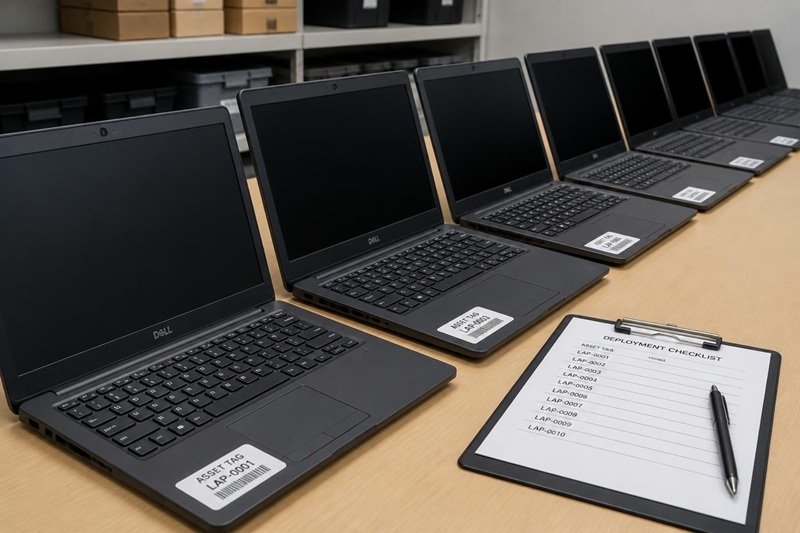
Per device pricing, another of the common pricing models, charges for each endpoint rather than each person. It suits shared-device and shift-based environments — a warehouse or clinic where ten staff use four machines. Watch the device count: it creeps, and every new laptop, server or tablet is another line on the bill.
Tiered bundles
Tiered bundles package inclusions into named service levels — among the pricing models, the one many managed IT services quotes default to. They make the pricing structure easy to read, but the important detail is the tier above yours — what it adds, and what usage or headcount quietly triggers an upgrade.
Flat-rate and fixed monthly fee
A flat-rate or fixed monthly fee covers a broad scope for one predictable number, which is why businesses that want predictable costs favour it over the other pricing models. Read the word “all-inclusive” carefully: it almost never includes projects, migrations or major infrastructure work.
Break-fix and hourly rates
Break-fix, the last of these pricing models, is not really managed IT services at all — you pay per incident at hourly rates, with no ongoing fee. It looks cheapest on paper and suits very small or very stable environments, but break-fix pricing rewards the provider when things go wrong, which is the opposite of what you want from managed IT services.
What managed IT support actually includes
The core inclusions
A managed IT services agreement normally covers helpdesk and remote support, proactive monitoring, patching, security tooling, reporting and vendor management — the ongoing managed IT services work that keeps an environment healthy rather than the one-off fixes. Most Australian service providers describe a similar core, which is why the inclusion list looks reassuringly alike across quotes.
Why “included” varies between service providers
The similarity is misleading. What “included” means varies far more between service providers than the headline rate does. One managed service provider’s monitoring is an automated alert; another’s is a person who acts on it. One bundles Microsoft 365 administration and security tooling; another bills them as extras. Two managed service providers can quote the same number for genuinely different managed services — and the only way to compare managed services is to read the scope, not the rate.
What sits outside the monthly fee
When comparing managed services, this is the section buyers most need and rarely get. Both published guides above note the same thing: the headline rate excludes a set of support costs that can dwarf it. This is where two managed services quotes at the same monthly fee stop being the same deal.
The hidden costs that make two quotes non-comparable
- Hardware — laptops, servers, network gear
- Software and licences (Microsoft 365, security tools)
- Projects and infrastructure migrations
- After-hours work above the SLA
- Third-party vendor charges
- On-site visit fees and exit/offboarding assistance
GST, licences and hardware
The three that catch people most often are GST, software licences and hardware — because they are the ones a headline “per user” figure silently leaves out. A quote that looks cheaper per user can cost more once licences and after-hours work are added back, which is exactly why the rate is a poor basis for comparing managed IT services on its own.
What drives your IT support costs up or down
Where your business lands in the published managed IT services pricing ranges is not random. A handful of factors move your IT support costs predictably, and these are the levers behind most managed IT support costs, so you can place yourself in the range before a managed service provider does it for you.
- Multiple sites
- After-hours or 24/7 coverage
- Compliance requirements
- Legacy or unsupported systems
- A high device-to-user ratio
- On-site attendance expectations
- Standardised hardware
- A cloud-first environment
- Fewer locations
- Business-hours coverage
- A documented, well-maintained environment
- Predictable, low change rate
In-house versus a managed service provider
The comparison small businesses reach for is managed IT services against one internal hire. It is rarely like-for-like: a single employee covers one skill set, works business hours and takes leave, while a managed service provider covers many disciplines and does not go on holiday. The honest framing is coverage and continuity, not a straight salary swap — and legacy systems are a quiet driver here too, since an unsupported server or a fleet past Windows 10 end of support raises the support costs either model carries.
Why Sydney sits at the higher end for managed services
Australian managed IT services pricing varies by city, and Sydney sits at the top of it. That is not a Sydney provider marking you up — it reflects a higher cost base and the expectation of on-site attendance across a large metro area.
One published guide puts Sydney at $100–300 per user per month against Perth’s $90–220, attributing the gap to Sydney’s cost of living and finance and technology demand. Note that Sydney’s own published range spans roughly 3× — more evidence that scope, not postcode, sets the number.Source: Secure Agility pricing guide, 12 Aug 2026. Third-party figures, not PIP pricing.
Labour and on-site attendance
The driver is labour and attendance. A provider offering on-site IT support across Greater Sydney and the Central Coast carries a different cost base to remote-only interstate service providers, and that shows up in the rate. It is a real difference in the managed IT services, not a premium for the address.

Five questions that make quotes comparable
If the managed IT services rate alone cannot be trusted, these five questions can. Ask all service providers the same set and the quotes become genuinely comparable — often for the first time.
The unit decides the bill. Pin down whether contractors, shared logins and spare machines are counted.
Ask for the exclusions in writing — licences, projects, after-hours, hardware. This is where identical managed services rates diverge.
A service level agreement is only useful if you know what “urgent” means and what the clock actually promises.
Find out the support costs and the process before you need them, not during an outage.
Switching cost lives here. A poorly documented environment takes longer to take on, and onboarding is often billed separately.
How PIP prices managed IT for Australian businesses
Predictable per-user monthly pricing
PIP has supported Sydney businesses since 1986, and prices managed IT services as predictable per-user monthly pricing scoped to your actual environment. Ad hoc phone support for non-managed work is billed in ten-minute increments and ad hoc on-site work hourly, so the occasional out-of-scope job never becomes a surprise. Scope is agreed up front through a full system audit before support begins — which is why we will not quote a per-user figure blind, and why you should be wary of any managed service provider who does.
“We have quoted the same structure — per user, per month — at figures that differ by a factor of three, and both were honest. One excluded Microsoft 365 licensing and bundled very little; the other included the lot. Same unit, completely different product. The rate never told the real story. The scope did.”— PIP, on why two honest quotes diverge
Managed IT services pricing: common questions
What is the difference between per-user and per-device pricing?
What is included in managed IT support pricing?
Is break-fix or managed IT support cheaper?
What is the average cost of managed IT services for small businesses in Australia?
How much does it cost to switch managed IT providers?
Want to know what your business would actually pay?
PIP scopes managed IT services against your real environment — devices, sites, systems and hours — and quotes predictable per-user monthly pricing against it.
Scope my managed IT →