
Business Laptops and Notebooks — Supplied and Configured for Your Environment
We supply and configure HP business laptops for Australian businesses — domain-joined, encrypted and ready to use, by the same team that manages your IT. Below: how to choose the right one, and how PIP delivers it.
Business laptops vs consumer laptops
The most common question we hear is the difference between a business laptop and a personal one. From the outside they can look identical; the difference is in build quality, the edition of Windows, security and how long the machine is designed to last. Business laptops are built for years of daily work and for IT teams to manage at scale — consumer laptops are built to a price for a single owner.
Built to a standard
- MIL-STD-810H durability testing and stronger build quality for years of daily use
- Windows 11 Pro as standard — domain join, BitLocker and Group Policy, with the Microsoft Office suite deployed to a consistent build
- Hardware security built in: TPM 2.0, fingerprint readers, and on enterprise models Intel vPro
- Spill resistant keyboards, serviceable parts and a longer business warranty cycle
- Designed to be managed across a fleet, not configured one machine at a time
Built to a price
- Lighter-duty chassis and mixed components, with build quality geared to an annual refresh
- Often ships with Windows 11 Home — no domain join, no BitLocker, no Group Policy
- Limited or no hardware security; biometric support is inconsistent
- Standard keyboards, fewer serviceable parts and a shorter consumer warranty
- Not configured for a managed environment — setup falls back on the owner
For a single person at home, consumer laptops are fine. For an organisation, the gaps in build quality, security and manageability turn into real cost — which is why PIP supplies business-grade machines only, configured to one standard before they reach a desk.
What to look for in a business laptop
The right specification depends on the work, but business laptops in 2026 share a sensible baseline. Use this as a checklist when comparing models — it’s the same checklist PIP uses when recommending a machine for a role.
RAM
16GB is the practical minimum for 2026; 8GB is the floor and best avoided. Step up to 32GB for power users, large datasets and other intensive tasks.
Intel Core Ultra
Intel Core Ultra Series 2 is the current mainstream — Intel Core Ultra 5 for everyday work, Intel Core Ultra 7 for heavier loads — each with a neural processing unit for the on-device AI of an AI PC. AMD Ryzen AI 300 is a strong alternative.
Battery life
Aim for at least 8 hours for business use; 13.5 hours is reliable for a full day of travel, and the best machines reach 20–24 hours. Fast charging that restores 80% in about an hour matters as much as the headline figure.
NVMe SSD
512GB of NVMe SSD is the sensible minimum, with 1TB a good target for power users. Solid-state drives boot faster and survive knocks better than the hard drives they replaced — storage capacity is rarely worth skimping on.
14″ or 16″
A 14-inch panel is the portability sweet spot; 16-inch buys screen real estate for those who stay at a desk. Look for WUXGA resolution or higher for crisp text across a long day.
TPM & biometrics
Trusted Platform Module (TPM) 2.0, fingerprint readers and Windows 11 Pro should be standard, with Intel vPro on enterprise models for hardware-level management.
How much RAM does a business laptop need?
For everyday office work — browser, email, the Microsoft Office apps and a handful of line-of-business tools — 16GB of random access memory (RAM) is comfortable and is the figure we specify by default. Drop to 8GB only for the lightest single-task roles. Move to 32GB when the work involves large spreadsheets, big datasets, virtual machines or media. On graphics: integrated graphics handle office tasks, browsing and video calls without complaint, so most business users never need anything more. Only choose a laptop capable of driving discrete graphics if the role includes video editing, CAD or 3D work — integrated graphics are the right call for everyone else, and they keep both cost and battery drain down.
| Spec | Minimum | Recommended (2026) | Power users |
|---|---|---|---|
| RAM | 8GB | 16GB | 32GB+ |
| Storage | 256GB SSD | 512GB NVMe SSD | 1TB NVMe SSD |
| Processor | Intel Core Ultra 5 | Intel Core Ultra 5 / 7 | Intel Core Ultra 7 / AMD Ryzen AI |
| Battery | 8 hours | 13–16 hours | 20+ hours |
| Display | FHD | WUXGA 14″ | WUXGA+ 16″ |
Specs are a starting point, not the whole story. The right business laptop is the one matched to the role and configured for your environment — which is where the next sections come in.
The business laptop brands
A handful of brands dominate corporate environments, and each has a genuine strength. This is the honest market picture — useful whether or not you buy through PIP. We supply HP, and explain why below, but a good buyer’s guide should tell you what else is out there.
The long-standing corporate benchmark, renowned for build quality, keyboards and security. The Lenovo ThinkPad X1 Carbon is one of the best-known premium business laptops in the world, and each ThinkPad X1 Carbon Gen refines weight and battery further. PIP does not supply Lenovo — but no honest overview leaves the ThinkPad out.
Built for demanding corporate environments and large managed fleets, with solid manageability and a deep accessory ecosystem. A common sight in enterprise IT.
Favoured by creative professionals who need high performance for video editing and design. Excellent displays and battery, though it sits outside most Windows-managed business environments.
The HP EliteBook series offers enterprise-grade performance and security; the ProBook covers SMBs with the same business-grade build at a sensible price. For Australian businesses that want hardware sourced through an authorised partner, configured before delivery and supported by the team that manages their IT, this is where PIP focuses — and the rest of this guide goes deep on it.
Recommended & supplied by PIPRecognised for value in business-grade notebooks and capable mobile workstation options for heavier compute when the budget is tight.
Lightweight & long-battery benchmarks in the market
If all-day endurance is the priority, the market’s current featherweights set the bar: the Dynabook Portégé Z40L-N weighs just 1.09kg and runs for around 24 hours, the Acer TravelMate P6 is 978g with a 20-hour battery, the MSI Prestige 14 AI Evo also claims 24 hours, and the Asus ExpertBook P5 is 1.27kg with close to 20 hours. PIP doesn’t supply these models — they’re useful reference points for what a premium, ultra-portable work laptop can now achieve.
So which is the best business laptop? Honestly, several are excellent, and the best laptop for a given business depends on the workload, the management platform and the support model behind it. For a Windows-managed Australian business that wants one accountable provider, our answer is an HP EliteBook or ProBook supplied and configured by PIP — here’s the range.
HP business laptops, sourced and configured
PIP is an HP partner — every machine is sourced through authorised HP channels, never grey-market stock, with genuine firmware and a valid business warranty. EliteBook and ProBook ship with Intel Core Ultra processors and Windows 11 Pro as standard, and PIP configures each one before it reaches your team. The same HP partnership extends to PIP’s business computers and workstations.
Enterprise-grade performance and enterprise grade security in a premium chassis — Intel Core Ultra processors, Intel vPro for hardware-level management, and MIL-STD-810H durability. The work laptop for professionals handling sensitive business data, with the exceptional performance executives expect.
High quality business laptops at a sensible price — the business grade laptops most small and medium teams should be buying. The same Intel Core Ultra processors and Windows 11 Pro build standard as the EliteBook, in a more cost-effective work laptop for everyday business use.
A mobile workstation for power users and executives who need desktop-class compute on the move — CAD, engineering, modelling and heavy video editing. The HP ZBook Ultra G1a 14 pairs a 12-core AMD Ryzen processor with a slim chassis. Available when the workload calls for it; not the everyday choice.
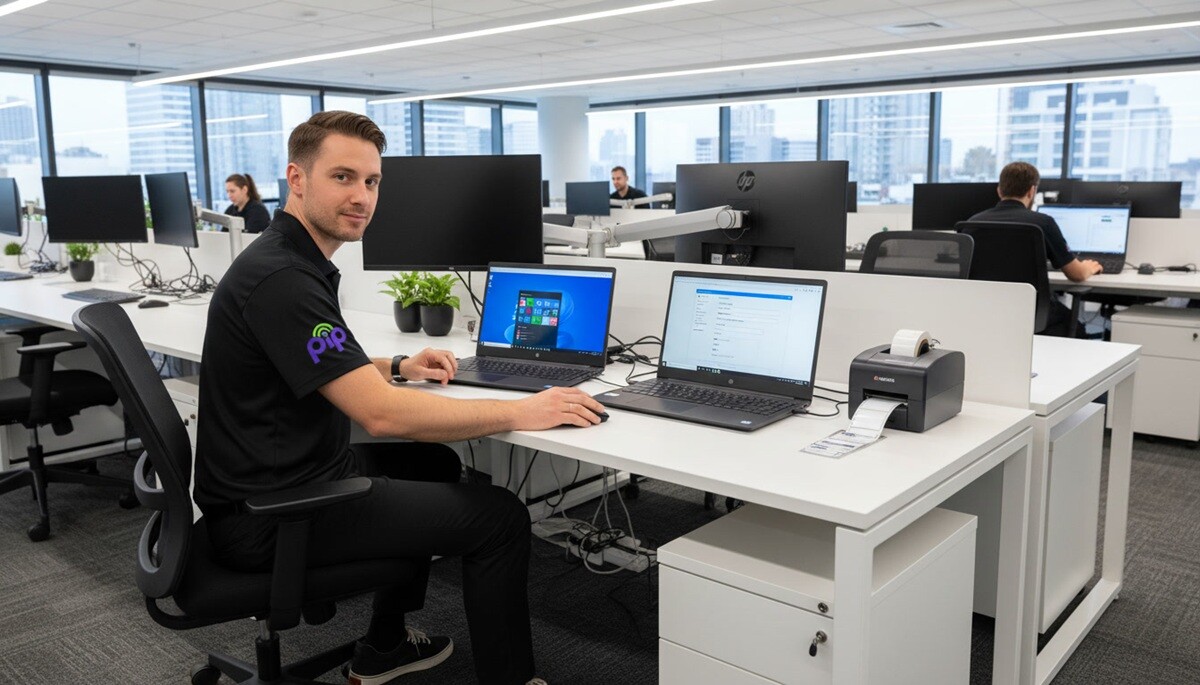
Whichever tier fits, the machine arrives the same way: spec’d to the role, configured to PIP’s standard build, and documented in your environment. The professional business laptops PIP supplies are chosen for the workload, not pulled from a shelf.
Security starts in the hardware
On a business laptop, the most important security features sit below the operating system, in the hardware itself. That’s the line between a machine that merely runs security software and one built to protect business data from the chip up — and it’s a core reason consumer hardware doesn’t belong in a managed environment.
Trusted Platform Module
A Trusted Platform Module (TPM 2.0) chip stores encryption keys in hardware, anchoring BitLocker and device identity. These built in security features are standard on business-grade machines and absent from most consumer models.
Biometric access
Fingerprint readers and facial recognition give fast, password-free sign-in that’s tied to the person, not a sticky note. Better security features like these cut the most common cause of account compromise.
Intel vPro
On enterprise models, Intel vPro adds hardware-level remote management and enterprise grade security — remote remediation and protection that work even below the OS.
BitLocker, enforced
PIP enforces BitLocker drive encryption as standard on every device it deploys, so a lost or stolen laptop doesn’t become a data breach. Encryption to protect sensitive data is part of the build, not an afterthought.
Windows 11 Pro
Windows 11 Pro is required for the advanced security features business needs — domain join, Group Policy and device encryption. Home edition can’t join a domain, so PIP never deploys it. These enhanced security features only exist on Pro.
Australian compliance
Business laptops should align with Australian cybersecurity expectations, and PIP configures them to do so — with endpoint security deployed as part of the managed service, not a separate install, keeping sensitive business data protected end to end.
Hardware sets the foundation; configuration locks it in. Every laptop PIP supplies leaves with these protections enabled and documented — the same standard across the whole fleet, so business data stays protected no matter which machine it lives on.
Battery life and portability for mobile professionals
For mobile professionals, battery life is the spec that matters most. A fast work laptop is no use if it dies before lunch — so business laptops should clear a full working day on a charge, and the best now run far longer.
Expect at least 8 hours of battery life from any business laptop. Around 13.5 hours is reliable enough to travel without a charger, and the leading ultraportables now deliver 16 to 22 hours — even 24 on standout models. Fast charging matters as much as the headline figure: the better machines restore 80% of battery capacity in about an hour, so a short stop tops you up for the rest of the day. Long battery life like that turns a laptop from a desk-bound tool into a genuinely portable laptop.
Weight is the other half of portability. A real travel machine sits under 1.8kg, and a 14-inch chassis is the sweet spot — a usable screen in a bag you’ll actually carry. For mobile professionals who live between airports and client sites, that mix of long battery life and low weight is the entire point: a portable laptop they can work from anywhere, untethered from the desktop computers they replace.
Connectivity keeps them moving. Wi-Fi 6 or 6E is standard, with optional 5G on some models for always-on wireless connectivity beyond known networks. And because so much work now happens over video calls, a sharp webcam and a noise-cancelling microphone earn their place — the difference between a clean client video call and an apology for the line. A good work laptop handles back-to-back video calls without the fan roaring or the battery collapsing.
This is the profile PIP specs for hybrid and field roles: a light, long-running work laptop, configured and ready, so on the go professionals spend their time working rather than waiting on hardware.
Ports, wireless and legacy support
A business laptop has to talk to everything — current peripherals and the older kit still on the desk. The best machines cover both without forcing a bag full of adapters.
Thunderbolt 4
High-speed data, charging and dual external displays down a single cable — now common on premium business laptops.
USB-A
The legacy port that refuses to die. Still essential for older peripherals, USB drives and presentation clickers.
HDMI
Plug straight into meeting-room displays and projectors with no adapter — a small thing that saves time before every presentation.
Ethernet (RJ-45)
Still the most reliable connection in a crowded office. Some ultrabooks drop it to stay thin and light.
Wi-Fi 6 / 6E
Standard wireless connectivity on current models — faster, and far steadier than older Wi-Fi in dense offices.
5G modem
Available on select models for always-on mobile data — useful for field staff who can’t depend on public Wi-Fi.
One thing worth checking before you standardise on a model: many thin ultrabooks omit the built-in Ethernet port, which means keeping a USB to Ethernet adapter on hand for wired office use. The payoff of good connectivity is practical — enough bandwidth and ports to run office apps across two external displays, present without fuss, and stay online wherever the work happens.
Budget vs premium: choosing the right one
Price matters, but the cheapest option is rarely the cheapest over time. The right call is the machine matched to the role — bought to last, not just to save on the invoice.
Budget business laptops
Budget business laptops cover the essentials — an Intel Core Ultra 5, 16GB RAM, a 512GB SSD and Windows 11 Pro — at an affordable price. They’re a sound choice for light office roles and a sensible entry point for small businesses watching cashflow, provided the build quality is still business-grade rather than consumer.
Premium business laptops
Premium business laptops add durability, brighter displays, enterprise security and a longer service life. They cost more up front, but spread across five years instead of two they’re the better total cost of ownership for anyone using the machine all day — and the gap shows in build quality you can feel.
A note on the refurbished market
Businesses can save up to 80% on refurbished laptops, which are put through comprehensive testing for reliability and often ship with a 1-year warranty — and buying refurbished helps reduce electronic waste. PIP supplies new business-grade hardware only; refurbished is a route some small businesses take themselves, with the trade-off of shorter remaining service life and warranty cover.
For most small businesses the answer isn’t the cheapest laptop or the dearest — it’s quality technology matched to the role, at a competitive price through an authorised channel. Compare like for like across business models, not against consumer specs, and remember that spending a little more on build quality usually costs less than replacing other business laptops early.
Configured before it arrives
PIP isn’t a retailer, and this isn’t a product listing. We supply business laptops as part of a complete IT service for Australian businesses — so the device doesn’t just turn up in a box, it turns up working, ready for the person who’ll use it. Every machine leaves with the same standard build:
- Windows 11 Pro, domain-joined or Microsoft Entra ID joined to your environment
- BitLocker encryption enabled and enforced
- Endpoint security deployed as part of the managed service — not a separate install
- Business software and line-of-business apps pushed from our management platform
- Asset-tagged and recorded in your IT documentation from day one
That standard build keeps a fleet consistent, and consistency keeps support simple. Whether it’s a new office fitout, a PC refresh across the business, onboarding business users as the team grows, or kitting out remote staff, the laptops are specced for the role and deployed the same way every time. Power users get a mobile workstation; everyday roles get a right-sized machine for the business use it’s intended for — all of it documented.
The real difference is that there’s no handover gap. The team that sources and configures the hardware is the same team that supports it and runs your wider IT — so nothing arrives that support doesn’t already know about, and business operations aren’t stalled waiting on someone else’s procurement queue. For Australian businesses, and small businesses in particular without a large internal IT team, that single accountable provider is the whole point of buying business laptops australia-wide through PIP rather than off a shelf.
“In fifteen years of deploying HP hardware to Sydney businesses, the biggest source of friction isn’t the hardware itself — it’s the gap between procurement and configuration. A device ordered on Monday shouldn’t still be sitting unconfigured on Thursday while the new staff member waits. PIP eliminates that gap.”
— PIP Talk to PIP →Business laptop questions, answered
Which brand of laptop is best for business?
There’s no single winner — it depends on your environment. Lenovo ThinkPad is the long-standing corporate benchmark, prized for keyboards and durability, and the Lenovo ThinkPad X1 Carbon is one of the most recognised premium business laptops anywhere. HP EliteBook matches it on enterprise security and dominates managed IT environments; Dell Latitude is a corporate staple; and Apple’s MacBook Pro suits creative professionals.
For an Australian business that wants the best business laptop and one provider to source, configure and support it, our answer is an HP EliteBook through an authorised partner. If you’re buying and managing hardware yourself, the Lenovo ThinkPad X1 remains an excellent choice — it just isn’t what PIP supplies.
What is the best laptop for small business use?
For most small businesses, the HP ProBook range is the sweet spot — business-grade build, Intel Core Ultra, 16GB RAM and Windows 11 Pro as standard, at a sensible price. It’s the best laptop for a small business that wants reliability without enterprise cost.
A budget machine can do the job for the lightest roles, but keep the total-cost-of-ownership point in mind: a cheap laptop replaced in two years often costs more than a quality one that lasts five. The best small business laptop is simply the one matched to the work and built to last.
What’s the difference between a business laptop and a personal laptop?
Build quality, security and manageability. Business laptops use tougher chassis, ship with Windows 11 Pro so they can join a domain and enforce BitLocker, include hardware security like TPM and fingerprint readers, and carry longer business warranties. Consumer laptops are built to a price for a single owner and can’t be centrally managed.
Business grade laptops are made to be deployed and supported across a fleet — which is exactly why they cost more and last longer than a comparable consumer machine.
What laptops do businessmen use?
In corporate settings a handful of models dominate. The Lenovo ThinkPad X1 Carbon is one of the most widely used executive laptops in the world, and each ThinkPad X1 Carbon Gen keeps it near the top. The HP EliteBook series is the standard across managed IT environments — including the ones PIP runs — and Dell Latitude is common in larger enterprises.
Executives needing desktop-class power on the move reach for a mobile workstation such as the HP ZBook or a Lenovo ThinkPad X1 variant. The common thread is business-grade hardware, configured and secured for work — not bought off a consumer shelf.
Business Laptops Supplied, Configured and Ready to Use
PIP supplies HP business laptops and notebooks for Australian businesses — EliteBook, ProBook and ZBook, sourced through our HP partner channel and configured to your environment before delivery. Tell us about your team and we’ll spec, build and deploy the right machines.