
Business NBN — Internet for Sydney Businesses from an ISP That’s Been Here Since 1995
PIP is a registered NBN RSP. Business NBN with a static IP, 4G backup, and a team that actually answers the phone — the same people who manage your IT.
Business NBN is a different product — not a home plan with a higher price
If you have ever wondered why business NBN plans cost more than the residential deals advertised every weekend, the answer is in how the connection behaves under load. A home plan and a business plan can run over the same NBN network and the same access technology, yet deliver very different real-world performance for a working office.
Residential plans are tuned for evening streaming — download-heavy, best-effort, and shared across a large pool of users. A business NBN connection is built around what an office actually does during the working day: uploading large files to the cloud, video calls, VoIP, remote access and hosted applications. That changes the priorities.
Built for the evening peak
- Optimised for download speed — streaming, browsing, gaming after dark
- Best-effort service with no uptime commitment
- Higher contention — more users sharing the same backhaul capacity during busy periods
- Consumer-grade support and standard fault restoration timeframes
- Upload speed treated as a secondary concern
Built for the working day
- Balanced upload and download — business plans typically allow higher upload speeds for cloud, VoIP and video
- Service level agreements available for uptime and fault response
- Lower contention ratios for more stable typical busy period speeds
- Priority support and faster fault restoration during business hours
- Unlimited data and a static IP option as standard inclusions
In short: a business NBN service is engineered to perform when your team is working, not just when the household is watching TV. Unlimited data is standard, the connection is provisioned for commercial use, and — with PIP — the people supporting it understand your whole environment, not just the line. That is the difference that matters once a business depends on its internet to operate.
Six ways the NBN reaches your door — and why it matters
The NBN is not one single technology. NBN Co built the network using six different access technologies, and the one serving your address determines the speed tiers you can reach and the real-world performance you can expect. Before choosing a plan, it is worth knowing which access technology is available at your business address — PIP checks this for you as part of any quote.
In every case, an NBN Co technician installs a small network termination device — the Premises Connection Device — that hands the NBN network over to your equipment. From there, the quality of your router and in-premises cabling does the rest.
Fibre to the Premises
The highest-quality NBN technology — an optical fibre network runs the whole way to your building. It supports the top speed tiers, including symmetrical options on higher plans, and is increasingly standard in new developments. If your address has FTTP, you have the best foundation the NBN offers.
Fibre to the Node
Fibre runs to a street cabinet (the node), and the final stretch to your premises uses the existing copper line. Speed depends on how far you sit from the node and the condition of the copper. Connections above NBN 100 may not be achievable on some FTTN addresses — an address check confirms what is realistic.
Fibre to the Building
Common in multi-storey office buildings and apartment blocks. Fibre reaches the building’s communications room, then the internal wiring distributes the connection up to individual suites. Performance for each suite carries similar copper-limited characteristics to FTTN, depending on the building’s cabling.
Hybrid Fibre Coaxial
A hybrid fibre coaxial connection brings fibre to a local node, then completes the run with coaxial cable — the same cabling once used for pay-TV networks. Where the infrastructure is in good condition, HFC supports high speed plans right up to the Superfast and Ultrafast tiers.
Fixed Wireless
For addresses beyond the fibre footprint, the signal travels from a wireless tower to a fixed antenna mounted on your premises. The antenna’s line of sight to the tower affects performance, and the tier is capped at NBN 50. It is uncommon for Sydney metro business addresses but covers fringe and outer locations.
Fibre to the Curb
Fibre runs all the way to a small pit at the kerb outside your premises, leaving only a very short copper run to the building. That short final stretch means FTTC generally delivers better and more consistent performance than FTTN, while stopping just short of full fibre to the door.
You do not need to memorise any of this. The practical point is simple: the NBN technology at your address sets the ceiling, and the right speed tier sits underneath that ceiling. PIP runs the address check, tells you which access technology you have, and recommends a plan that matches your workload rather than the headline number on a billboard.
NBN speed tiers, explained for business — pick the ceiling, then the workload
National NBN plans run from NBN 25 at the entry level up to NBN 1000 at the top, and the speed tier you choose sets the maximum speed your connection can deliver. For business, NBN 25 is rarely enough — most business NBN plans start at NBN 50 and step up from there. The right tier depends less on the biggest number available and more on how many people are working at once and what they are doing.
What each speed tier delivers
Download speed is the headline figure, but business plans also lift upload speeds and, on many plans, include a guaranteed minimum speed that residential products do not offer. Higher speed tiers come at extra cost, so there is no point paying for more speed than your team can use — the value is in matching the tier to the work.
| Speed tier | Typical download speed | Best suited to | Technology availability |
|---|---|---|---|
| NBN 50 | ~50 Mbps | Small teams — email, browsing, light cloud use and a handful of devices | All access technologies, including Fixed Wireless |
| NBN 100 Most common | ~100 Mbps | The workhorse tier for most SMBs — cloud apps, VoIP, video calls and steady daily load | FTTP, HFC, FTTC; many FTTN and FTTB addresses |
| NBN 250 | ~250 Mbps | Larger teams, heavy cloud workloads and frequent large file transfers | FTTP and HFC addresses only |
| NBN 500 | ~500 Mbps | Data-intensive offices with many simultaneous video and cloud sessions | FTTP and HFC addresses only |
| NBN 1000 | ~1000 Mbps | Maximum throughput for the busiest sites and high-demand operations | FTTP and HFC addresses only |
Superfast (NBN 250 and NBN 500) and Ultrafast (NBN 1000) tiers are available at FTTP and HFC addresses. Fixed Wireless is capped at NBN 50, and FTTN or FTTB connections may not reach above NBN 100 depending on copper quality. Those are the practical limits behind the speed options — which is exactly why an address check comes before a plan recommendation.
Why typical busy period speeds matter more than the headline
A plan’s headline number is the maximum speed in ideal conditions. What you actually experience is captured by the typical busy period speeds — the real-world download speed during the evening peak, when the network carries the most traffic. Australian providers are required to publish this figure, so it is the number to compare when weighing up internet plans. Actual speeds vary depending on your technology type, distance from the node and the equipment at your end. For a business, consistent typical busy period speeds during working hours are worth far more than a big headline number that sags under busy periods. PIP recommends a tier that holds up when your office is fully online, not one that only looks good on paper.
What a PIP business NBN plan actually includes
Consumer plans compete on a single advertised price. A business NBN service is judged on its product features — the inclusions that keep an office working. Here is what comes with business NBN from PIP, and why each one earns its place.
Unlimited data
No data caps, no throttling, no data allowance to watch — unlimited data is standard on every business plan, so heavy cloud and backup traffic never costs you extra.
Static IP address
A static IP address does not change over time, giving you a fixed, predictable address for VPN, remote access, hosted services and security systems. Static IP improves connection stability and is essential once a business relies on remote access — and PIP includes the static IP option with business NBN.
4G / 5G backup option
Add automatic mobile network failover so the business stays connected if the fixed line drops. 4G backup is available on eligible plans and switches over automatically during an NBN fault — we cover it in full on our 4G backup internet page.
Priority support
Business NBN includes priority support with faster fault restoration and after-hours response — priority assistance when a connection problem is costing you working hours, not a consumer queue.
Flexible terms
No lock-in contract options are available for businesses that want flexibility, while longer terms are offered at better pricing for those who prefer to commit. You choose the lock-in contract that suits the business, rather than being forced into one.
Business-grade equipment
PIP deploys a business-grade DrayTek router rather than a consumer modem — hardware built for a managed IT environment. Equipment quality is not a detail: a cheap modem caps real-world performance below what the line can deliver. A new modem or business router is typically required when setting up a new NBN service, and technically capable clients can use their own modem where it meets the standard.
Two more things we make clear upfront. First, where a connection is being installed at a new development, a New Development Charge — typically around $300 — may apply; we flag it before you order, never on a surprise bill. Second, a phone service can sit alongside your NBN: PIP voice means one provider for a business phone line with unlimited calls, internet and IT — without juggling separate vendors.
What to actually check — beyond the headline speed
Two connections on the same speed tier can deliver very different performance. The factors below explain why — and what to ask a provider before you sign. Getting these right matters more for day-to-day performance than chasing a bigger number.
Contention ratio
Contention is how many users share the same backhaul capacity. Business plans run lower contention than residential, which is why their performance holds steadier through busy periods. It is one of the biggest factors in how a connection feels under real load.
Typical busy period speeds
Ask for the typical busy period speeds figure, not just the maximum speed. It is the published download speed during peak hours and the single most useful piece of speed information when comparing providers. Actual speeds vary depending on technology and distance.
Equipment quality
Equipment quality sets a hard ceiling on performance. A consumer modem can throttle a fast connection without anyone realising. A properly specified business router — and PIP supplies one — lets the line perform to its tier.
In-building cabling
On FTTN and FTTB connections, the copper and cabling inside the building affect the result. Older premises wiring can drag down an otherwise capable plan — worth checking before assuming the connection is at fault.
One more factor — the provider. Independent rating services like Canstar publish annual satisfaction scores for NBN providers. When selecting a business NBN provider, look past the headline plan speeds — support response times, fault resolution and uptime track record matter far more for a business connection than a few megabits on a brochure.
Getting connected — PIP handles the NBN, you handle the business
How a business NBN connection is installed depends on your business address and the access technology already in place. In most cases an NBN Co technician visits to install the Premises Connection Device — the network termination device that brings the NBN network into the building. Where an existing connection point is already fitted, standard installation can include self-installation of your modem. PIP coordinates the whole process so you never have to deal with NBN Co directly.
Address check
We confirm the access technology and speed tiers available at your business address before anything is ordered.
Plan match
We match the right speed tier and inclusions to your workload — no overpaying for speed you will not use.
Technician & device
Where required, an NBN Co technician installs the network termination device on-site; timeframes vary by location and premises type.
Router pre-configured
PIP configures your DrayTek router with your static IP and settings before or at installation — ready from day one.
Tested & handed over
The connection is verified, backup configured if included, and the same team stays on call once you are live.
A couple of charges can apply and we always flag them in advance. For a new development where NBN infrastructure does not yet reach the building, a New Development Charge may apply, and the connection point can sometimes sit in a nearby street rather than at the door. Complex premises may incur additional cabling charges for work beyond a standard run. None of it arrives as a surprise — it is quoted upfront.
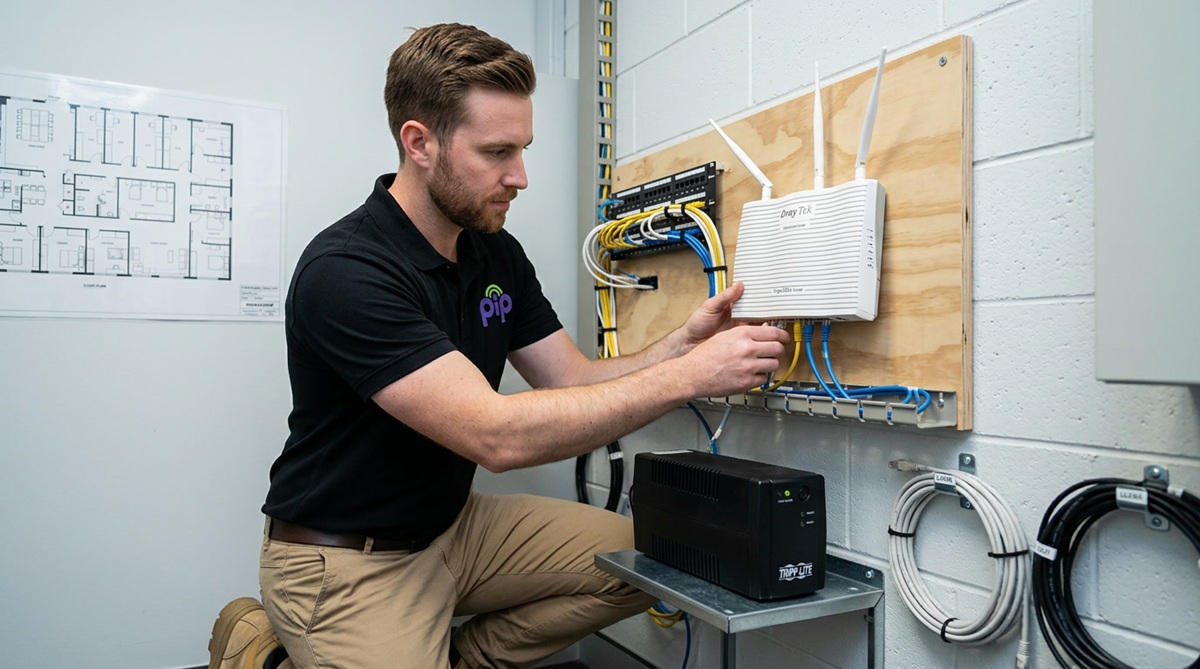
“We’ve set up a lot of business NBN connections. The ones that go smoothly are the ones where someone has checked the technology type at the address, confirmed the speed tier matches the workload, and had the router pre-configured before the technician showed up. That’s what PIP does. The ones that don’t go smoothly are the ones where a business ordered internet from a national RSP and received a box in the mail.”
— PIP Talk to PIP →Business NBN vs direct fibre — the honest version
Business NBN is the right starting point for most Sydney businesses: cost-effective, widely available, and more than capable for everyday workloads. But it is not the only connection type, and there comes a point where a growing business is better served by a dedicated fibre line. Here is how the three options compare — and when a fibre upgrade is worth it.
Business NBN
A commercial-grade connection over the NBN network with business inclusions — static IP, priority support, unlimited data. The right choice for the majority of SMBs, and the platform most businesses run on for years.
NBN Enterprise
A higher-SLA NBN product with dedicated bandwidth. Available, and occasionally the right fit — but the cost gap between NBN Enterprise and a direct fibre service has narrowed to the point where fibre usually wins on value. We will supply it if you specifically want it.
Direct business fibre
A dedicated fibre connection delivered via Telstra Wholesale — symmetrical speeds, an enterprise-grade SLA, and a line that is yours rather than shared. PIP’s recommendation for a business that has outgrown NBN, and the natural fibre upgrade path when reliability becomes non-negotiable.
The usual trigger for a fibre upgrade is straightforward: more than ten staff on simultaneous video conferencing, cloud-heavy operations, or an SLA requirement the NBN simply cannot meet. PIP’s direct business fibre service delivers symmetrical speeds and an enterprise-grade SLA for businesses ready to step up from NBN, and PIP manages the migration end to end — no gap in connectivity while you move from one connection type to the other. Most clients start on business NBN, grow into it, and upgrade when the business genuinely needs it. Not before.
Business NBN from a company that builds internet, not resells it
Most businesses connect their NBN through a national telco or a managed IT company that bolted internet on as an afterthought. PIP is the opposite. The ISP is where PIP began — this is a service designed for business, not adapted from a residential product. That history shapes everything about how the connection is delivered and supported.
ISP since 1995
PIP has been running internet infrastructure in Sydney since 1995 — longer than most NBN providers have existed. The name itself stands for Preferred Internet Provider.
Our own network
PIP owns its network infrastructure and a Sydney datacentre — not a reseller layer stacked on another reseller. That ownership is why we can stand behind the service end to end.
DC termination
For PIP hosting and cloud clients, your NBN can terminate inside PIP’s Sydney Datacentre — right next to your server. That cuts the hop count and the latency to your hosted services in a way no standard RSP can match.
The same team
The people supporting your NBN are the same team managing your IT. One call, one accountable provider, and no third-party ISP to blame when something goes wrong — we own the outcome.
Static IP included
A static IP comes with business NBN — critical for VPN, remote access, security systems and hosted services, and the kind of detail that keeps a business connected and operating without workarounds.
One bill
Internet, IT management, hosting and cloud from a single provider on a single bill. It is the simplest way to run business technology — built around your business needs, not a vendor’s billing systems.
We were connecting Sydney businesses before the NBN existed
PIP established its internet service and Sydney Datacentre in 1995, as Preferred Internet Provider. Three decades on, the same company that built that infrastructure delivers your business NBN, keeps your business connected, and supports it with priority assistance from a Sydney team. That is not a marketing line — it is the origin of the company.

And yes — we connect homes too
PIP does not advertise for residential customers, but we welcome them — and many of our best business relationships started at the front door. A business owner’s partner calls us for a home NBN connection, discovers what enterprise-quality ISP service actually feels like, and the business enquiry follows. One provider for home and office, one bill, the same standard of service whatever the size of the connection.
Business NBN — common questions
They can run over the same NBN network, but a business NBN service is built for commercial use. Business plans typically allow higher upload speeds, run lower contention ratios for steadier typical busy period speeds, and often include a service level agreement and a guaranteed minimum speed that residential products do not offer.
Business NBN also comes with priority support and a static IP option as standard — the inclusions that matter once a business depends on its internet. Residential plans prioritise download speed for evening streaming; business internet balances upload and download for cloud, VoIP and video during the working day.
As a rule of thumb, most small businesses are well served by NBN 100 — it handles cloud apps, video calls and VoIP for a typical team. Smaller teams of a few people can run comfortably on NBN 50, while larger or data-heavy offices benefit from the higher speeds of NBN 250 and above, where the technology at the address supports them.
The honest answer is that the right speed tier depends on how many people work at once and what they do — the download speed you need for browsing is very different to constant large file transfers to the cloud. PIP recommends a tier matched to your actual workload rather than the biggest number on offer.
Yes — PIP includes a static IP address with business NBN. A static IP does not change over time, which makes it essential for VPN connections, reliable remote access to business systems, hosting services and applications, and connecting security systems such as cameras and alarms.
Static IP addresses also improve connection stability and give predictable performance for critical business operations. It is one of the clearest dividing lines between a business plan and a consumer one.
Yes. 4G backup is available on eligible business NBN plans and provides automatic failover — if the fixed line drops, the connection switches to the mobile network so the business stays connected. PIP can also provide a static IP on the backup service, which most providers cannot do. The 4G and 5G backup service is covered in full on its own dedicated page.
It depends on your location — the access technology varies from address to address, and it determines which speed tiers you can reach. Your building might be served by FTTP, FTTN, FTTB, HFC, FTTC or Fixed Wireless, and each behaves differently. Rather than guess, PIP runs an address check as part of any quote, confirms the technology and realistic speeds, and recommends accordingly. Contact PIP and we will check your business address for you.
Yes — and we are happy to. PIP does not run residential marketing campaigns, but we connect plenty of homes by word of mouth, and many of our strongest business relationships began with a home connection. The advantage is simple: one provider and one bill for home and office, with the same enterprise-quality service whatever the size of the connection.
Business NBN from Sydney’s ISP Since 1995
PIP supplies business NBN across Sydney — static IP, a 4G backup option, and no-blame support from the same team that manages your IT. Tell us your business address and we will check the technology, recommend the right speed tier, and get you connected.