
Windows 365 Cloud PC— deployed and managed by PIP
Windows 365 turns any screen into a managed corporate desktop. Replace the hardware refresh cycle — give staff a Windows 365 Cloud PC instead, managed by PIP from Sydney.
A full Windows PC, streamed from Microsoft’s cloud
Microsoft announced Windows 365 at general availability in August 2021 — a cloud-based service designed to stream a full Windows experience to any device. Windows 365 is a Cloud PC: a dedicated, personalised desktop environment hosted in Microsoft’s Azure cloud infrastructure and streamed to any device the user sits in front of — a Windows PC, Mac, iPad, Android tablet, or even a phone.
Windows 365 is not a shared environment. Each user gets a dedicated Windows 365 Cloud PC with their own vCPU, RAM, storage and Windows installation, running in Microsoft Azure. For businesses, Windows 365 changes the equation on hardware refresh cycles, remote work, and IT management overhead. PIP deploys and manages Windows 365 Enterprise for Sydney businesses — provisioning, configuration, Intune management, and ongoing support, all handled by a team that has been a Microsoft partner since the ’90s.
How Windows 365 replaces traditional desktop infrastructure
Windows 365 streams a full Windows experience — Windows 11 — from Microsoft’s cloud to any device. The local device becomes a screen and input method; all compute, storage and applications run in Microsoft’s Azure data centres. Corporate data remains isolated in the Microsoft cloud — it never lives on the local device, which is a fundamental shift in how businesses manage security and data risk.
1:1 dedicated Cloud PC
Windows 365 provides a 1:1 dedicated relationship for each Cloud PC — each user has their own Windows 365 Enterprise or Windows 365 Business instance with dedicated vCPU, RAM and storage. It is not a shared virtual machine and not a virtual desktop session.
Data stays in the cloud
Data and apps are stored in secure Microsoft Azure data centres. Nothing is saved on local devices — if a laptop is lost, the Windows 365 Cloud PC and all corporate data remain safe in the cloud, completely isolated from the physical device.
Entra ID and security integration
Windows 365 integrates with Entra ID (formerly Azure Active Directory) for identity and security — the same Conditional Access rules, MFA enforcement and security policies that govern the rest of the Microsoft 365 environment apply to the Windows 365 Cloud PC.
Centralised management via Intune
All Windows 365 Enterprise Cloud PCs are managed centrally through Microsoft Intune (Microsoft Endpoint Manager) — policies deployed, apps pushed, compliance enforced from one console. Windows 365 simplifies IT management with centralised control, and the solution enables businesses to quickly provision desktops for new staff and de-provision desktops when people leave — no physical hardware to recover.
How staff access their Windows 365 Cloud PC
Users access their Windows 365 Cloud PC via a browser at windows365.microsoft.com, or through the Windows App on Windows, Mac, iOS and Android. The full Windows experience streams to the device — the local device’s performance does not affect the Windows 365 Cloud PC’s speed. Staff can seamlessly stream their Cloud PC from office, home or any location, on any device, allowing employees to stay productive in a connected work environment and ensuring productivity wherever they work.
Windows 365 Boot
A device can boot directly into Windows 365 as its primary environment — the Cloud PC is the first thing the user sees.
Windows 365 App
Easily access the Windows 365 Cloud PC from the Windows 365 app on any device — one click and the full Windows desktop appears.
Windows 365 Switch
Switch between a local PC environment and the Windows 365 Cloud PC on the same device — promoting collaboration across personal and corporate desktops.
Windows 365 Offline
Continue working when internet connectivity is interrupted — the Windows 365 Cloud PC syncs automatically when the connection returns, so work is never lost.
Windows 365 supports device switching: staff can stop work on one device and pick up exactly where they left off on another — the Cloud PC state is preserved in the cloud, so the virtual desktop experience is consistent across devices and locations. Windows 365 supports hybrid work by giving every user the same personalised desktop environment regardless of which device they sit in front of, helping empower organisations to accommodate changing workloads without disruption.
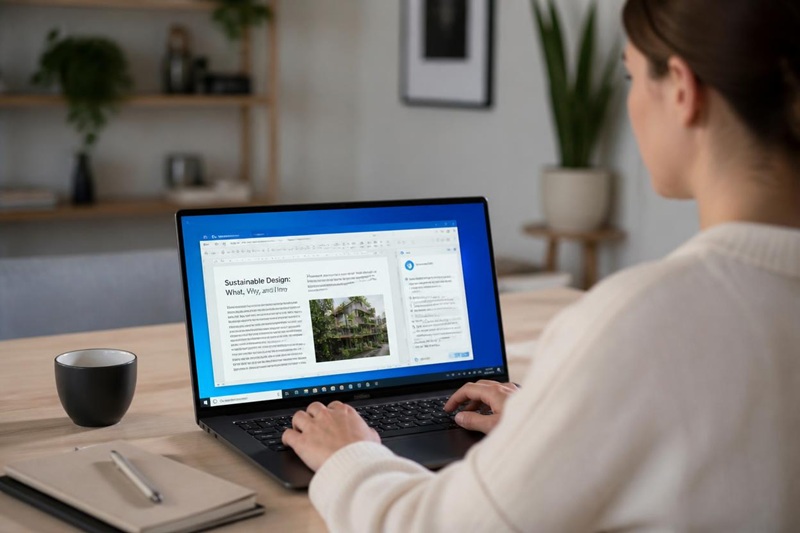
Windows 365 tiers, configurations and how it’s purchased
Windows 365 offers 12 Cloud PC configurations ranging from entry-level (1 vCPU, 2 GB RAM, 64 GB storage) to high-performance (16 vCPU, 64 GB RAM, 512 GB storage) — matched to user requirements and organisational needs. Two product tiers exist: Windows 365 Business and Windows 365 Enterprise.
| Windows 365 Business | PIP recommended Windows 365 Enterprise | |
|---|---|---|
| Seat cap | Up to 300 users | Unlimited |
| Intune management | Not required (self-service) | ✓ Required — full management |
| Entra ID integration | Basic | Full — Conditional Access, hybrid join |
| Custom images | — | ✓ |
| Azure network connection | — | ✓ |
| Pricing (Microsoft published) | From ~USD$32/user/mo | From ~USD$20/user/mo (enterprise pricing for larger companies) |
| Best for | Small teams that self-manage | Any business — full security and management via Intune |
PIP recommends Windows 365 Enterprise for all business deployments — Intune management is essential for security and compliance in a business environment, and Windows 365 Enterprise pricing includes discounts for larger companies. Windows 365 Enterprise configurations range from approximately USD$20/user/month to USD$158/user/month depending on vCPU, RAM and storage. PIP supplies Windows 365 at partner pricing — contact PIP for a quote matched to your user requirements.
Why Windows 365 Enterprise works for business
Windows 365 benefits businesses by supporting hybrid work environments, simplifying management and strengthening security — additional features that set it apart from traditional desktop infrastructure. Windows 365 Enterprise is the tier that unlocks the full feature set.
Built-in security features
Corporate data never leaves the Windows 365 cloud. Advanced threat protection via Microsoft Defender runs on every Windows 365 Enterprise Cloud PC. Multi-factor authentication is enforced via Entra ID. Data loss prevention policies apply to Cloud PC activity — enhanced security compared to unmanaged physical devices.
Simplified management
IT provisions or de-provisions a Windows 365 Cloud PC in minutes — no imaging, no hardware dispatch. Windows 365 Enterprise simplifies IT management: all Cloud PCs are managed through Microsoft Intune (Microsoft Endpoint Manager) with centralised management of policies, apps and compliance from one console. New staff have a ready-to-use Windows environment from day one.
Scalability
Easily scale virtual desktops up and down as the business grows — accommodate changing workloads without capital investment in hardware. Windows 365 Enterprise lets organisations provision desktops for new projects or seasonal staff and de-provision them when they’re no longer needed.
Hybrid work support
Staff access the same personalised desktop environment from any device, any location. Windows 365 Enterprise empowers organisations to support remote and hybrid teams without compromising security or the Windows experience — ensuring productivity for employees wherever they work.
Microsoft 365 integration
Windows 365 integrates directly with Microsoft 365 — Office apps, Teams, OneDrive, SharePoint and Microsoft Designer all run within the Cloud PC. Microsoft Copilot and AI-powered features are accessible within the Windows 365 environment as they roll out, positioning the Cloud PC for an AI-powered future.
New features as they ship
Windows 365 Boot, Windows 365 App, Windows 365 Switch and Windows 365 Offline are key features already available — with new features added by Microsoft as the Windows 365 platform evolves. Windows 365 Enterprise users get access to additional features as they reach general availability.
Windows 365 Cloud PC vs traditional desktop
Windows 365 is not right for every business — but for many, the Windows 365 Cloud PC model changes the economics and security posture of desktop IT entirely. This is a genuine comparison, not a sales pitch.
| Traditional desktop | Windows 365 Cloud PC | |
|---|---|---|
| Cost model | Capital — hardware refresh every 3–5 years | Per-user per-month subscription (New Commerce Experience) |
| Provisioning time | Days to weeks (order, image, deploy) | Minutes — provision desktops from the Intune console |
| Hardware dependency | Full — performance tied to the device | None — any device works as a screen |
| Data location | On the device — risk if lost or stolen | Microsoft Azure cloud — never on local devices |
| Device flexibility | One device per user | Any Windows, Mac, Android or iOS device |
| Management overhead | High — imaging, patching, hardware repair | Centralised — Intune manages all Windows 365 Cloud PCs |
| Scalability | Limited by hardware stock | Easily scale virtual desktops up and down |
When Windows 365 is the right fit: remote and hybrid teams, BYOD environments, businesses approaching a hardware refresh cycle, businesses with high staff turnover (fast provisioning and de-provisioning), and organisations that need staff on Mac or personal devices to access a full Windows environment. When it isn’t: high-performance workloads (video rendering, CAD) that need dedicated GPU hardware, or businesses with unreliable internet where the streaming model would limit the virtual desktop experience.
Windows 365 Enterprise — deployed and managed by PIP
PIP deploys Windows 365 Enterprise for Sydney businesses — a streamlined deployment covering tenant configuration, Intune enrolment, Cloud PC provisioning for each user, app deployment and security policy configuration. PIP manages the New Commerce Experience subscription end to end.
- Windows 365 Enterprise tenant configuration and Intune enrolment
- Cloud PC provisioning matched to each user’s configuration requirements
- App deployment and security policy applied to every Windows 365 Cloud PC
- User lifecycle: new staff get a Windows 365 Cloud PC provisioned within the day; leavers de-provisioned immediately
- New Commerce Experience subscription management — ordering, renewals, scaling
- Ongoing Intune policy management, security monitoring and licence auditing
- Windows 365 deployed alongside PIP’s broader Microsoft 365 managed service — same Entra ID, Defender and Intune policies
PIP supports both Windows 365 Enterprise and Windows 365 Business deployments — recommending the right Windows 365 tier for each client’s size and management needs. Windows 365 Enterprise is the plan PIP recommends for any business that takes security and simplified management seriously.

Windows 365, answered
Is Windows 365 free?
No — Windows 365 is a paid per-user, per-month subscription. There is no free tier. Microsoft publishes Windows 365 Enterprise pricing from approximately USD$20/user/month (entry Cloud PC configuration) to USD$158/user/month (highest configuration with 16 vCPUs). Some mobile versions of Office apps are available free with limitations, but Windows 365 itself — the Cloud PC service — is a paid subscription purchased through the New Commerce Experience. Contact PIP for partner pricing on Windows 365 Enterprise.
What is the difference between Windows 11 and Windows 365?
Windows 11 is an operating system — software installed on a physical PC. Windows 365 is a cloud-based service that streams Windows 11 (or Windows 10) from Microsoft’s cloud to any device. With Windows 365, the PC runs in Microsoft Azure data centres — the user’s local device just displays and interacts with the Windows experience. Windows 365 Enterprise runs a full Windows 11 environment as the Cloud PC, managed centrally through Intune.
What is Windows 365 used for?
Windows 365 is used to give employees a full Windows desktop environment accessible from any device — useful for hybrid work, remote work, BYOD, and businesses that want to reduce hardware capital costs. IT teams use Windows 365 Enterprise to simplify desktop management: provisioning, de-provisioning, security policy and compliance enforcement all happen centrally through Microsoft Intune, without physical hardware management. Windows 365 Enterprise is the plan that gives IT full control.
How do I get Windows 365?
Windows 365 is purchased as a per-user, per-month subscription through Microsoft’s Cloud Solution Provider (CSP) programme via the New Commerce Experience (NCE). PIP is a Microsoft CSP partner and manages the Windows 365 Enterprise subscription, Cloud PC configuration, Intune deployment and ongoing management for Sydney businesses. Contact PIP to discuss which Windows 365 configuration and tier is right for your business.
Hardware refresh coming up? There’s another way.
If your business is approaching a hardware cycle or needs to support a remote team with a managed Windows environment — Windows 365 Enterprise is worth a conversation with PIP.